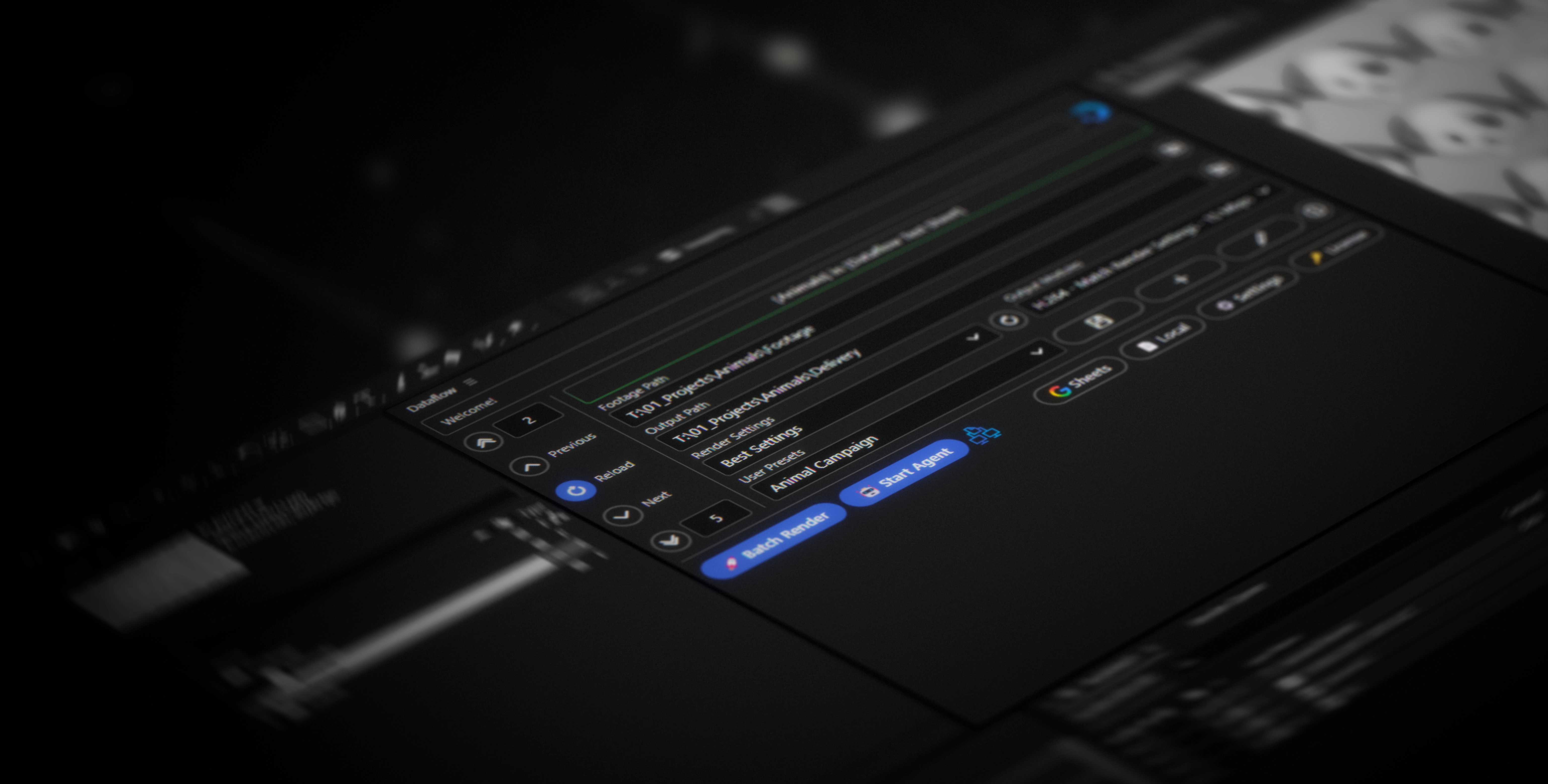
Dataflow Interface

Content versioning at scale.
Driven by data.

Dataflow helps you automate personalized content production at scale, eliminating repetitive tasks and freeing up your creative potential.

How it works

Dataflow is a powerful extension for Adobe® After Effects®
that streamlines data-driven content reversioning for you.

It enables users to connect various data sources empowering you to build complex design systems and effortlessly batch-render unlimited variations of your projects.
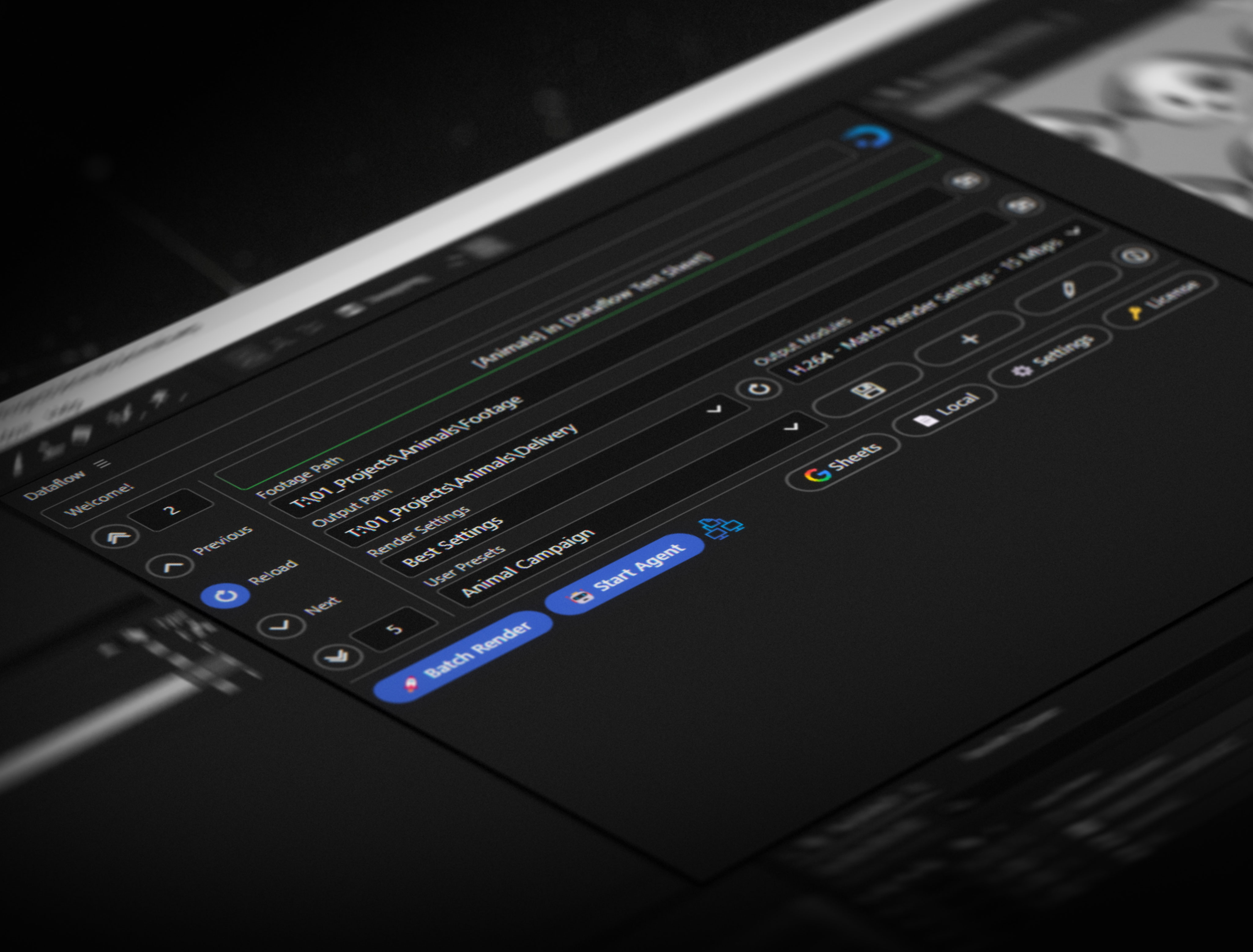
Dataflow in After Effects

Dataflow lives right inside of After Effects as an extension panel, making it intuitive to use within your workspace. Select your data source in the panel and customize the settings you need before batch rendering your project. All in one place.

Dataflow extension panel in After Effects

Customize with ease

Turn any Text or Image layer into a dynamic element, linked to your data source. This unlocks a new world of possibilities, since you can link the text layers value to any property in your After Effects project.

Graph view in Dataflow

Connecting your Data

Seemlessly connect Data Sources like Google Sheets or Local .TSV / .JSON files to your After Effects Projects. Preview your Data with the help of the intuitive UI that helps you load and cycle through your data.

Data connection interface

Automate rendering

Dataflow not only helps you import and map your data, but also automates the rendering process. It automatically creates a render queue item for each row in your data source and starts the rendering process.

Automated rendering workflow
Fair Pricing

Dataflows aims to make video automation tools accessible to a wider group of people, not just large enterprises. Competing tools are often costly and restrict core features behind even higher paywalls. Dataflow ships as one product with no hidden paywalls.

Fast & Intuitive

The user interface is designed for clarity, making it easy to accomplish your goals without a steep learning curve. Comprehensive documentation is available to help you get the most out of Dataflow. Efficiency is at the core of Dataflow, which is designed without unnecessary features that would slow it down.

User Presets

User presets allow you to create as many input field presets you need. Super useful for quickly switching between workflows that need entirely different output settings or data sources! Presets are stored locally as JSON files, making it easy to share configurations with your team.

Network Rendering

Send your rendering tasks to a watchfolder on your local network monitored by aerender nodes. This allows you to leverage multiple machines to speed up rendering times without relying on expensive cloud services. Perfect for studios or teams with several workstations looking to optimize their rendering workflow. Learn more in our Network Rendering guide.

Pricing

Dataflow aims to provide flexible pricing for teams of all sizes.
Every Subscription includes a free 30-day Trial so you can find out if it´s worth your money!
Prices already include sales tax or VAT!

Number of Seats

1 seats - 0% Discount

Monthly Plan

199€/mo
199€/seat
  • 30 day free trial
  • All Dataflow features

Yearly Plan

1990€/yr
1990€/seat
  • 30 day free trial
  • All Dataflow features

Frequently Asked Questions

Discover quick and comprehensive answers to common questions about Dataflow.

Your question hasnt been answered by this FAQ?
Check out the Documentation or Contact directly.

Licensing and Subscription


About Dataflow

Dataflow began as a personal project for myself to streamline and automate video creation at scale. After years of working with other video automation tools, I found that many lacked essential features and came with prohibitively expensive enterprise pricing. Driven by the need for a more flexible and affordable option, I developed Dataflow to simplify video automation for everyone. Since then, I have continuously enhanced its capabilities and refined the user experience, with many more improvements planned for the future.

Max Grünwald is a sole proprietorship. The website, tools and content are all created by Max Grünwald, and are not affiliated with any other company or entity.

Max Grünwald

Technical Motion Designer focused on automating video production. Developer of Dataflow.

thumbnail

Get in Touch

I try my best to provide timely support to all inquiries and am committed to fixing issues and adding features to provide a great product.